KumoHQ · Internal tool redesign
Redesigning KumoHQ's project tool so the whole team uses it
Kumo Board is the tool KumoHQ uses to run client projects. In practice only the PM used it. Everyone else, clients included, worked from chat messages and calls. People complained about it every day, so I worked with our PM to redesign it.
- What
- A redesign of the agency's project tool, for the team and for the clients we build for.
- Why
- Work, updates and feedback lived in Discord, Slack and calls. Things got missed, and our Associate PM pieced it all together.
- The idea
- Every ticket follows one track from Brief to Done and always knows whose turn it is. Clients see progress and give feedback through links, not chat.
- The hard call
- For clients, I chose review links with no account over a full client portal.
The problem
Only the PM used the tool. Everyone else worked around it.
The PM assigned tickets in the tool, then posted the links on Discord, and the team worked from those messages. Clients got their updates on calls and in Slack.
Counted from my own account
Hand-offs ran through the PM
Passing work on meant changing its team in a hidden menu, and nobody was told.
From the teamTickets get shared on Discord, we go and find them, and things get missed in the back and forth.
Finding your own work meant building the view yourself
A cross-client dashboard existed, but it showed where every ticket sat, not what was yours today.
From the teamMost of us worked from the PM's Discord link, not the dashboard.
Clients couldn't see where their project stood
Progress reached them on calls and in Slack, with nothing they could check themselves.
From clientsThey couldn't review progress, missed things, and it made them anxious.
Client feedback arrived everywhere
Clients, mostly outside India, review when it suits them: ideas in Slack, updates on WhatsApp, hour-long calls.
From our PMsOur Associate PM gathered every comment from calls and Slack, then turned them into tickets by hand.
A tracker people found clunky.
The team didn't work in sprints. Work passed along a line: brief, design, client review, build, test. The tool had no way to pass it.
For each problem I wrote two or three directions and where each might break. AI turned those notes into rough wireframes, so our PM and I could compare them side by side. The ideas and the pick were ours, and I designed every final screen. The ruled-out drafts close each section.
Work should move to the next person on its own, not wait for the PM

Give every ticket the same track
Brief, Design, Client review, Build, Test, Done. The same six stages for every client, each owned by someone from that client's project team. The ticket always shows whose turn it is.

Let a ticket skip what it doesn't need
Six stages for every ticket only works if a ticket can miss one. Skipping asks why, marks the stage as skipped on the track rather than hiding it, and tells the PM. A copy-only change can go straight from Brief to Client review, and anyone opening it later can see that was a decision.

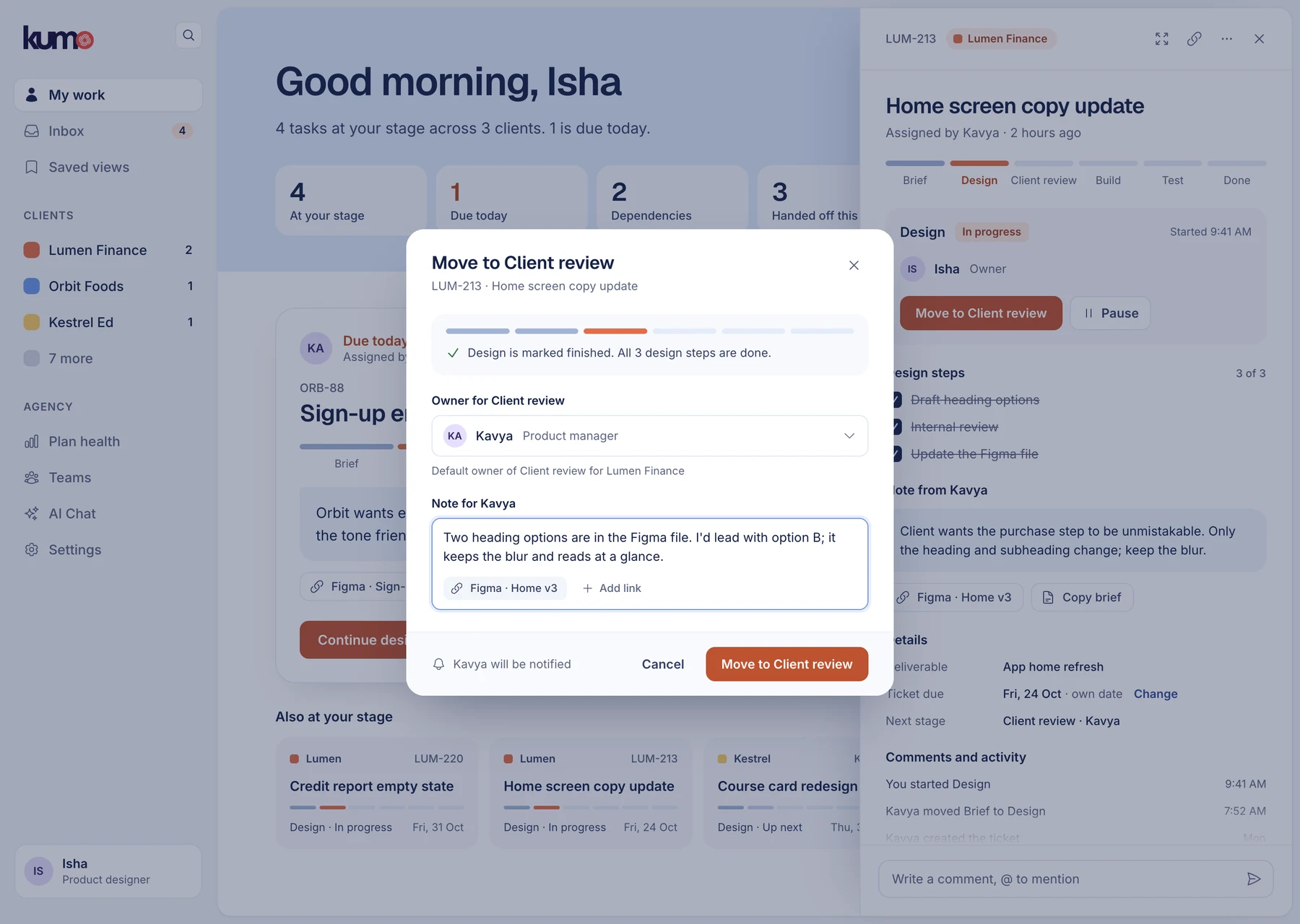
Hand off in one step, with the next person already filled in
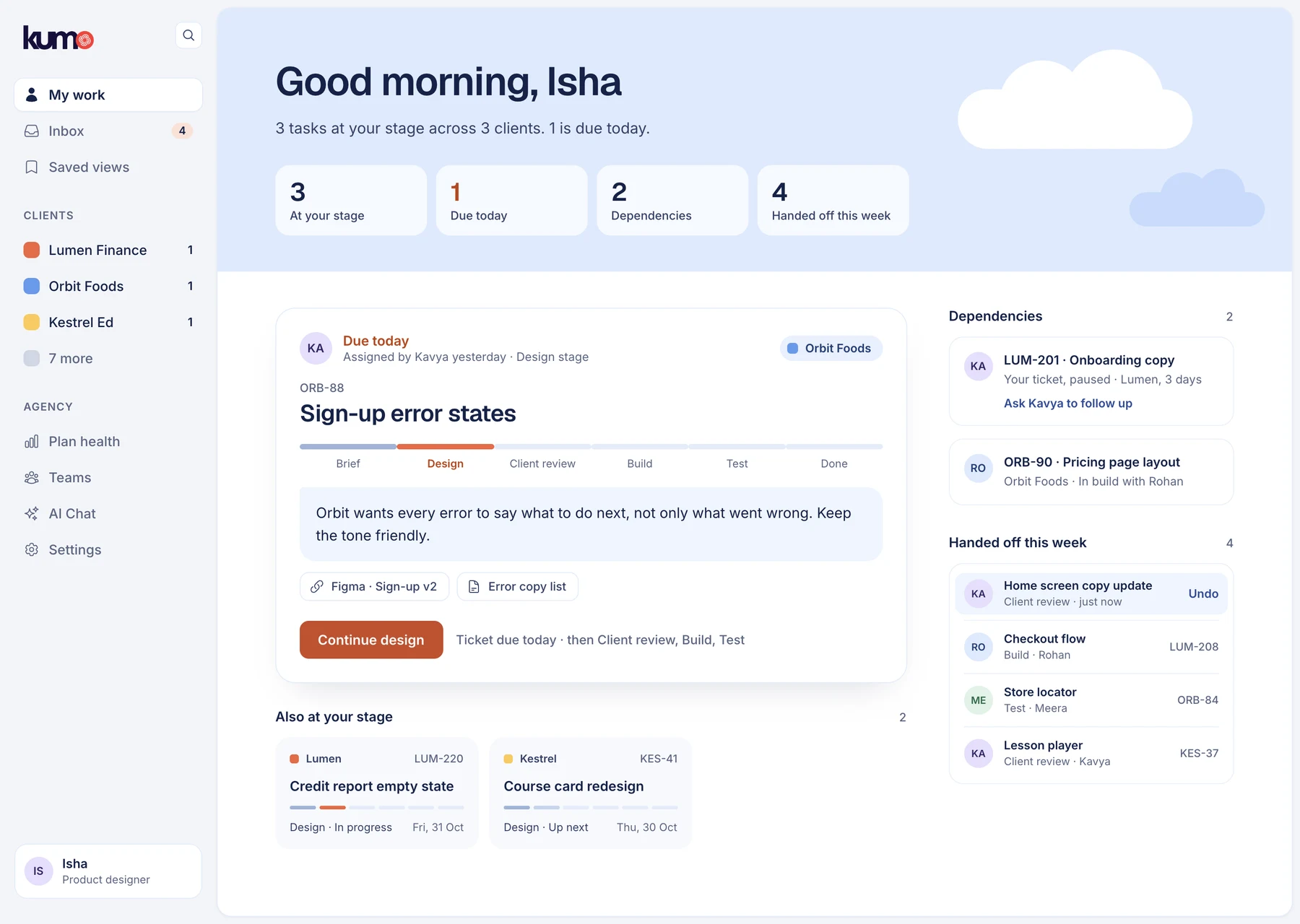
The usual owner of the next stage is pre-filled, and you leave a short note. The ticket leaves your list, and the next person and the PM are told. No Discord message needed.
Reach people where they already are
A better tool doesn't pull anyone out of Discord on its own. So the hand-off goes to them: Kumo connects to Discord and sends the update as a direct message. Hand-offs and work sent back are on everywhere by default, because those are the ones that stop someone else working. Everything else is a choice, per channel.

Ruled out · drafted with AI from my notes
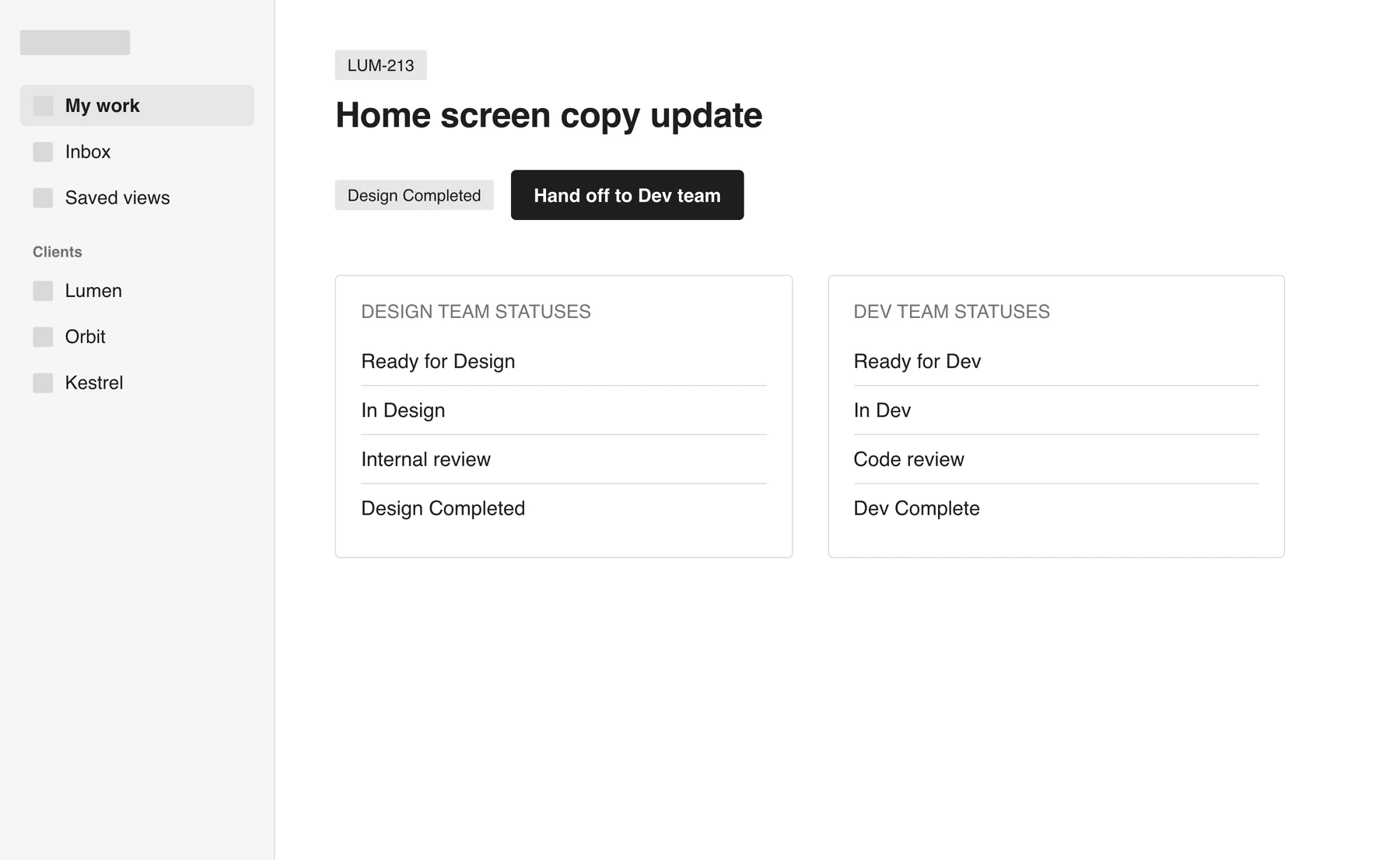
A "Hand off" buttonEach team still had its own statuses, so the button would hide the problem, not solve it.
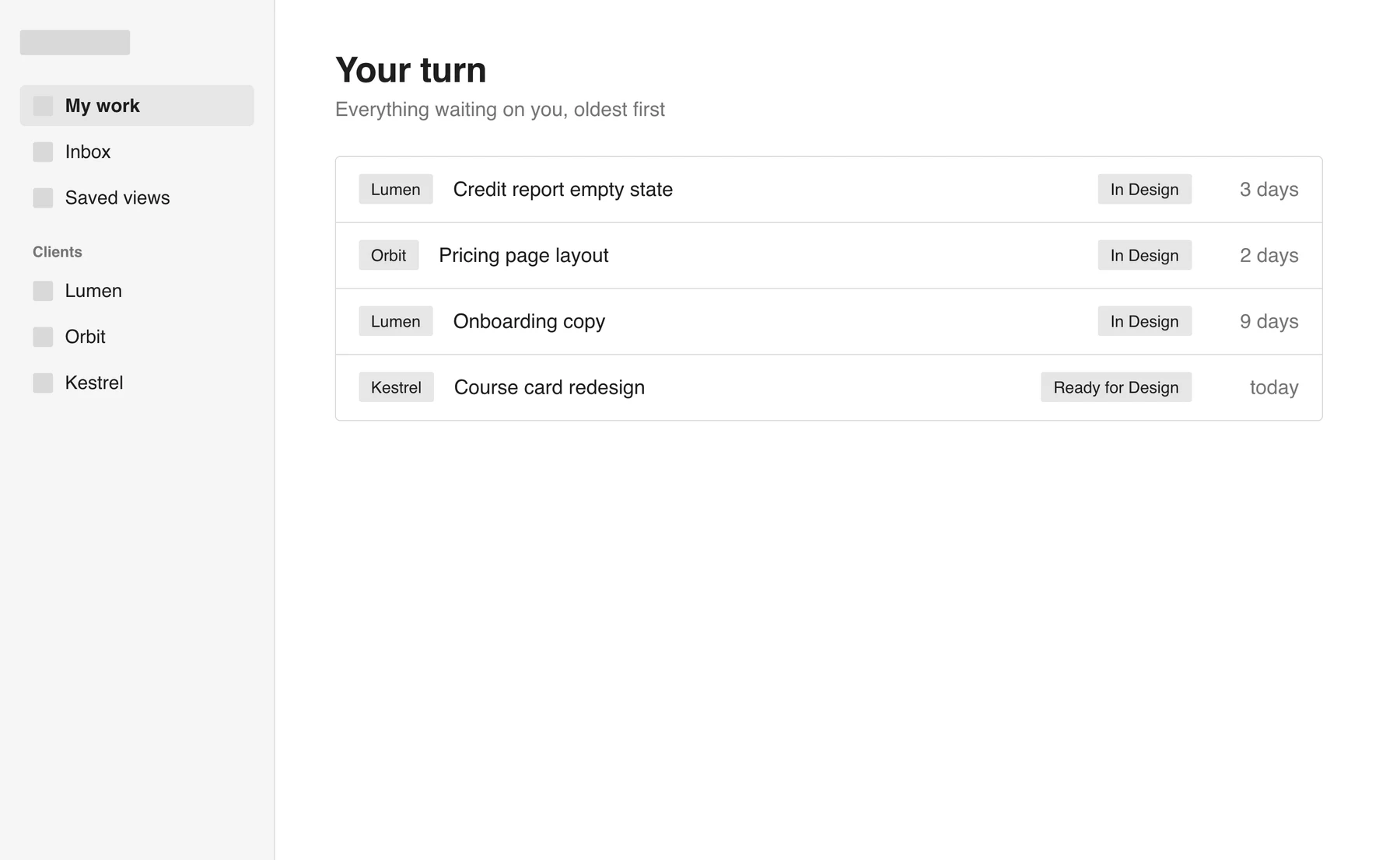
A "your turn" queueA view on top of data nobody kept up to date. It became the My work page instead.
One workspace for the agency, with clients as a list

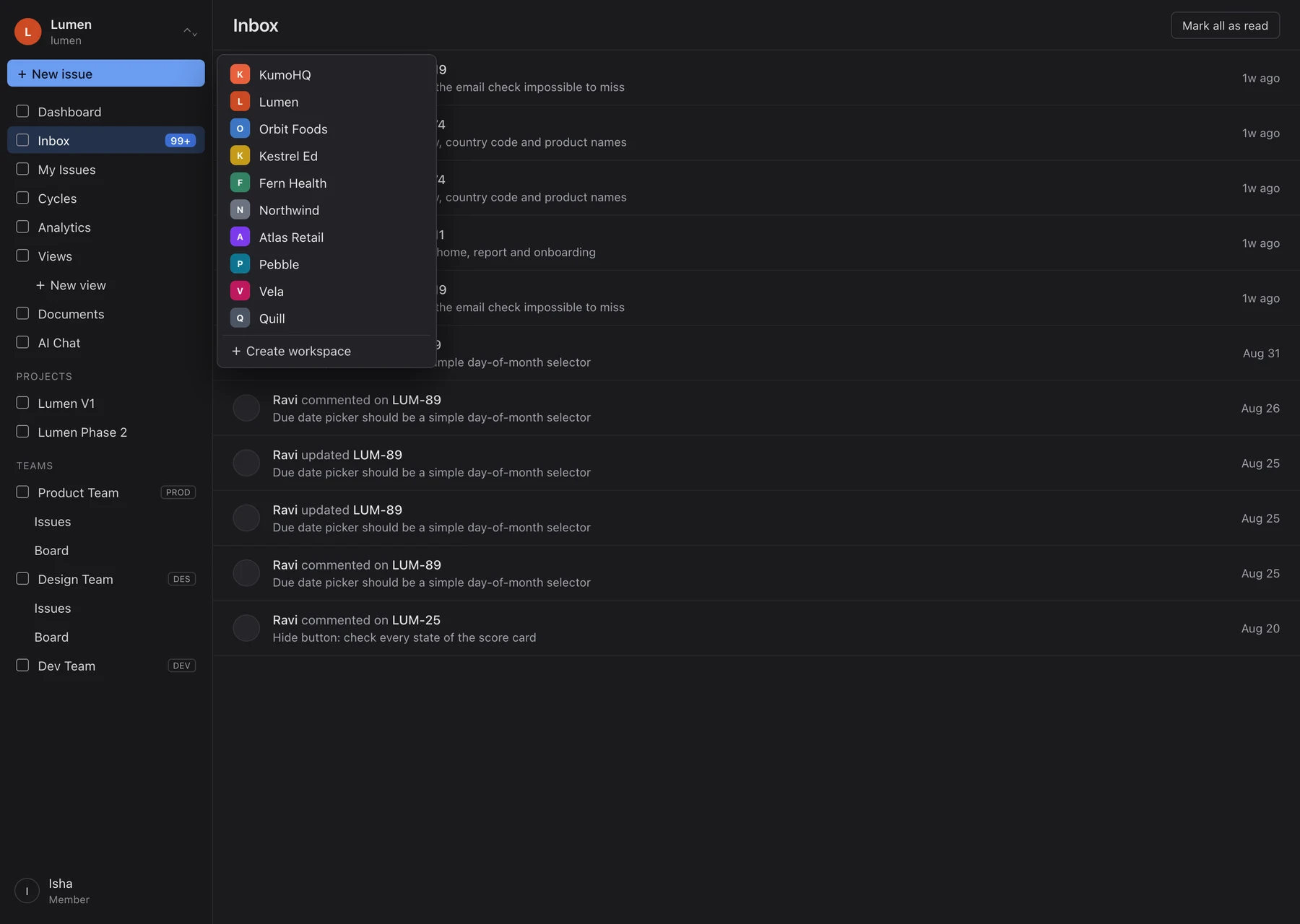
Start the day on your own work, across every client
My work answers one question: what's mine today? The ticket due first is up top, then everything else at your stage, then what you handed off this week.
Switch clients in one click
Clients sit in the sidebar with a count of what's waiting. Teams exist once. A client's board has the six stages as its columns.
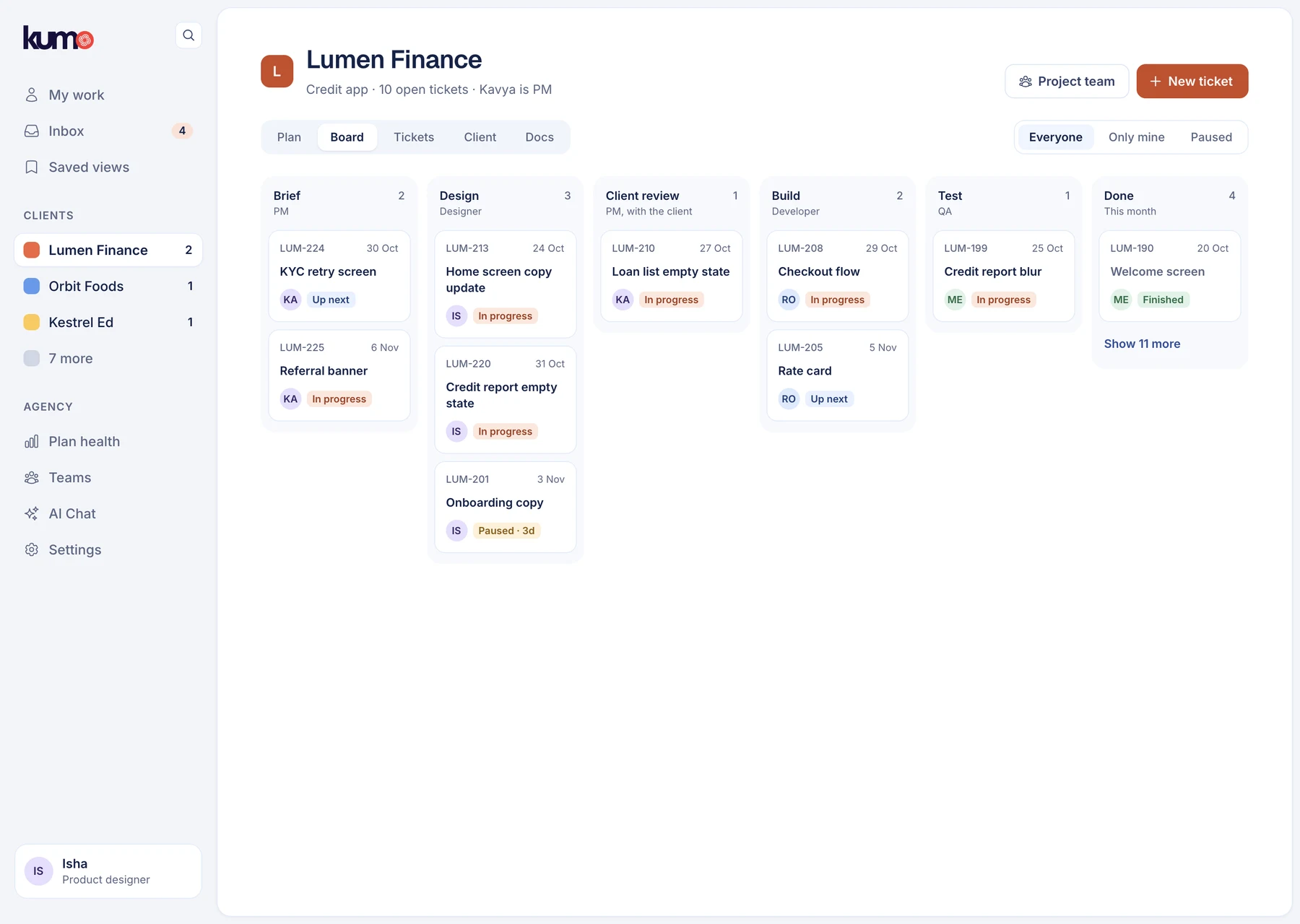
Ruled out · drafted with AI from my notes
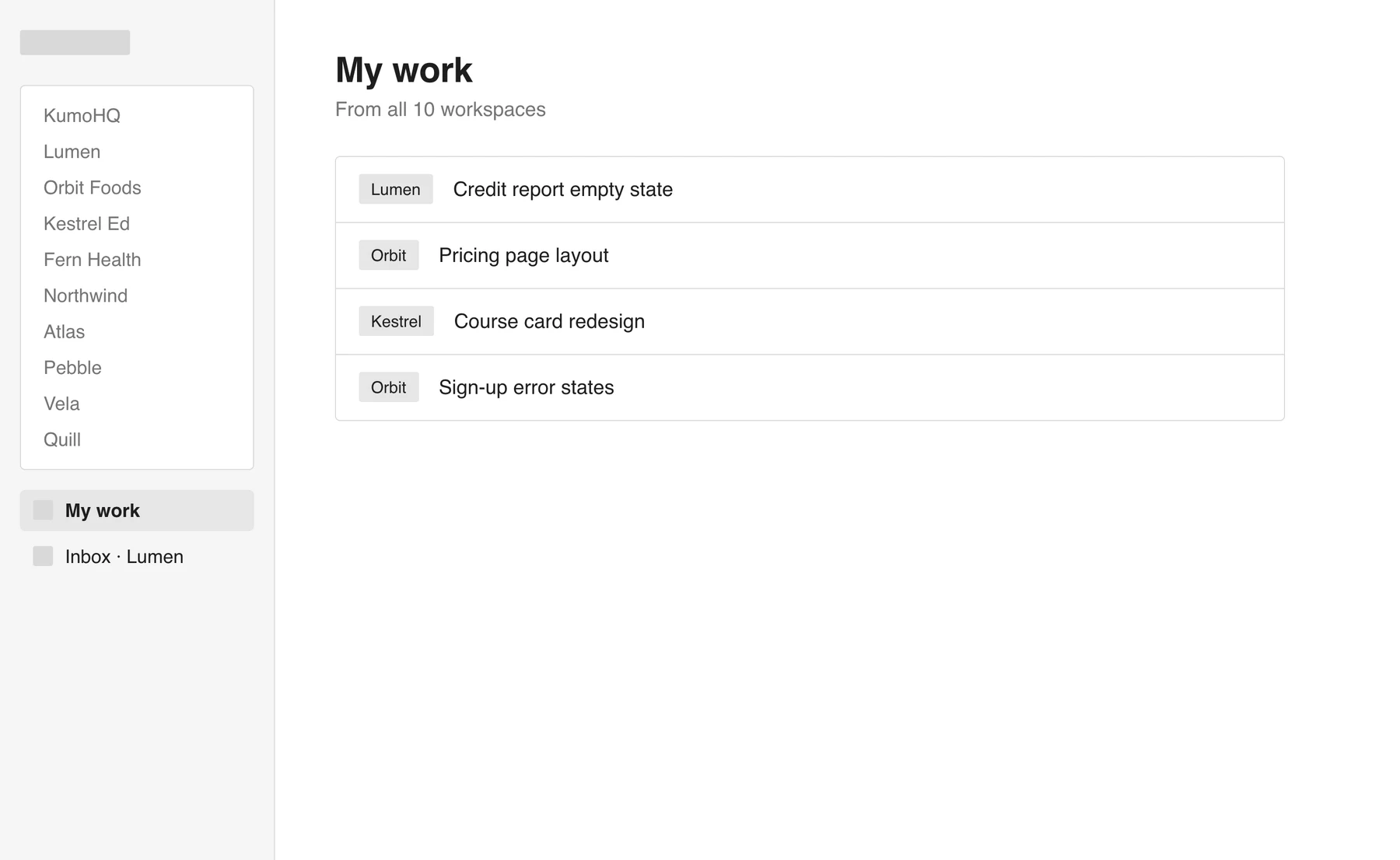
A "My work" page on top of the ten workspacesQuick to ship, but teams and inboxes would still exist ten times over.
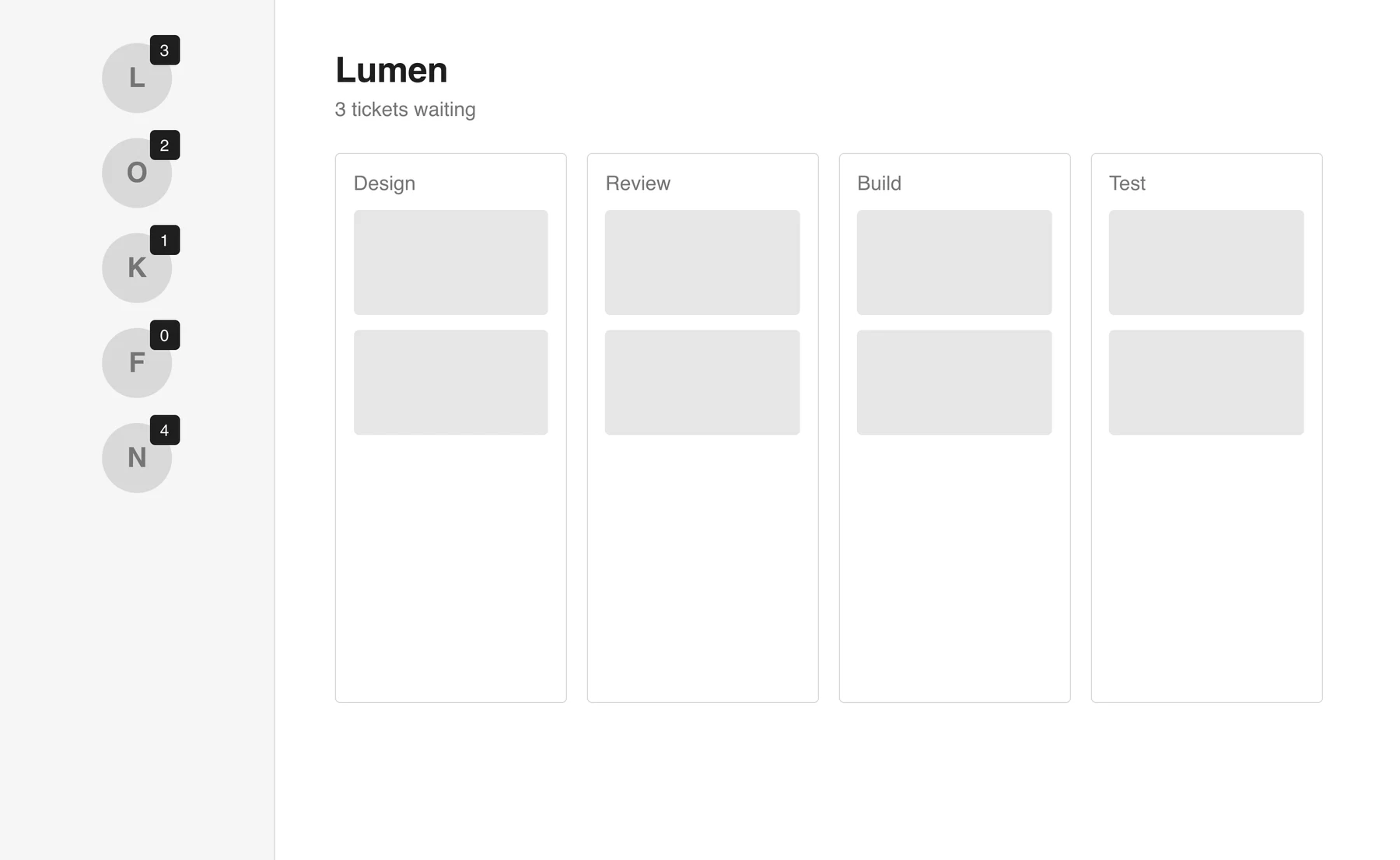
A client rail with countsShowed where work was waiting, but that wasn't enough on its own. The counts moved into the sidebar.
Clients should see progress against the dates they agreed, not wait for a call

Draft the plan from the signed scope of work
At kickoff, the AI reads that signed document and drafts the phases and deliverables, showing the line each one came from. Dates it can't find stay empty until a person agrees them.

Let progress add itself up
Tickets inherit their deliverable's date, so the plan stays true as work moves along the track. It shows what's late and what's waiting on the client.

Keep cycles for the teams that actually use them
Sprints weren't the problem, client work was. Cycles stay in the product, switched off by default for client projects and on for our in-house ones. When they're on, the cycle sits as a filter above the same six stages, so a team can plan in two-week blocks without changing how work moves.

Send clients a weekly update they can read anytime
The update is drafted from the plan: what got done, what's next, what we need from them. The PM checks it and sends it as a link. Nothing goes out on its own.

Ruled out · drafted with AI from my notes
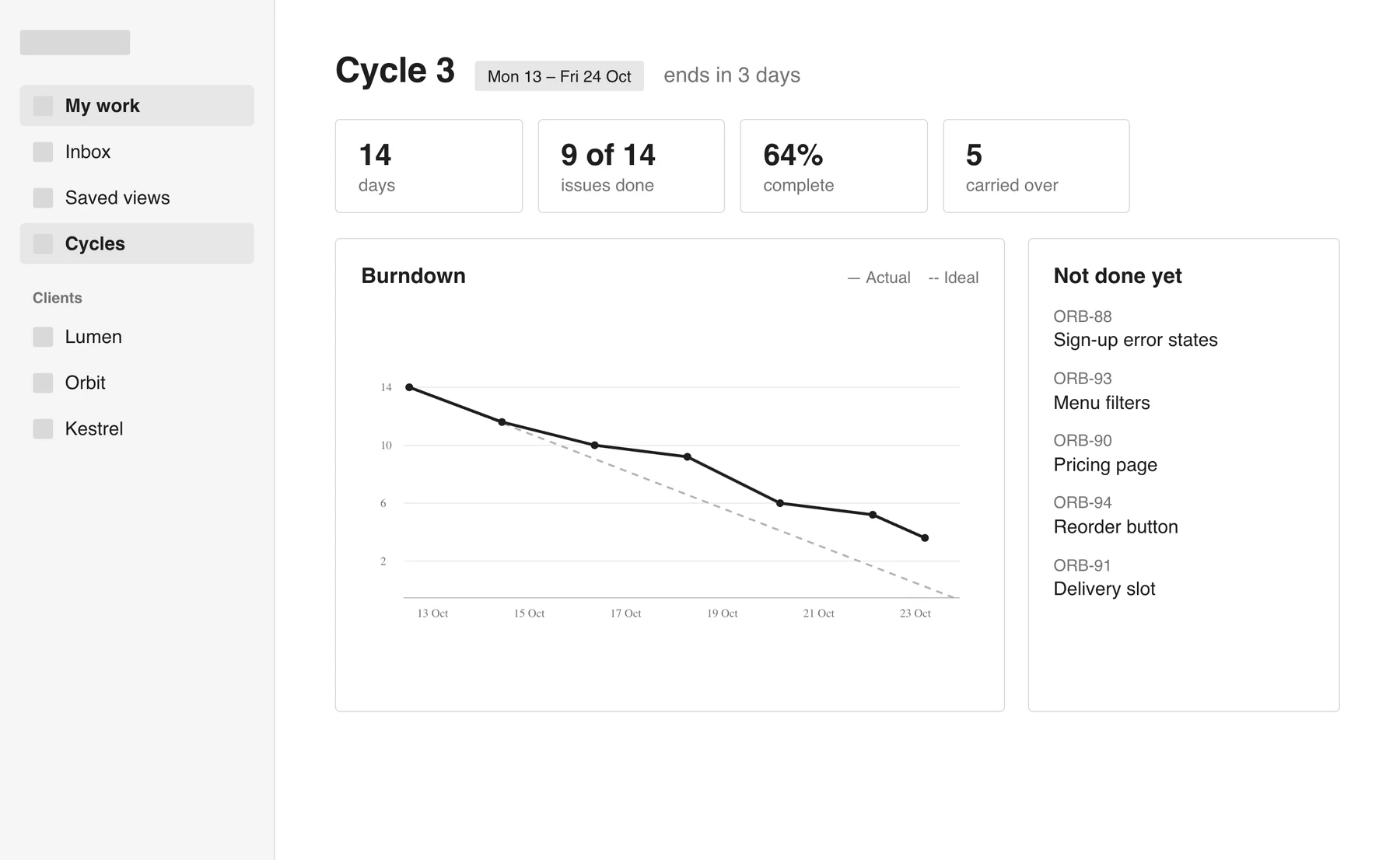
Repair the sprint chartsThe tool was built for sprints, but client work runs on agreed dates per phase. Accurate charts still answer the wrong question for client work, where dates are agreed per phase. So cycles stayed, scoped to the teams they suit.
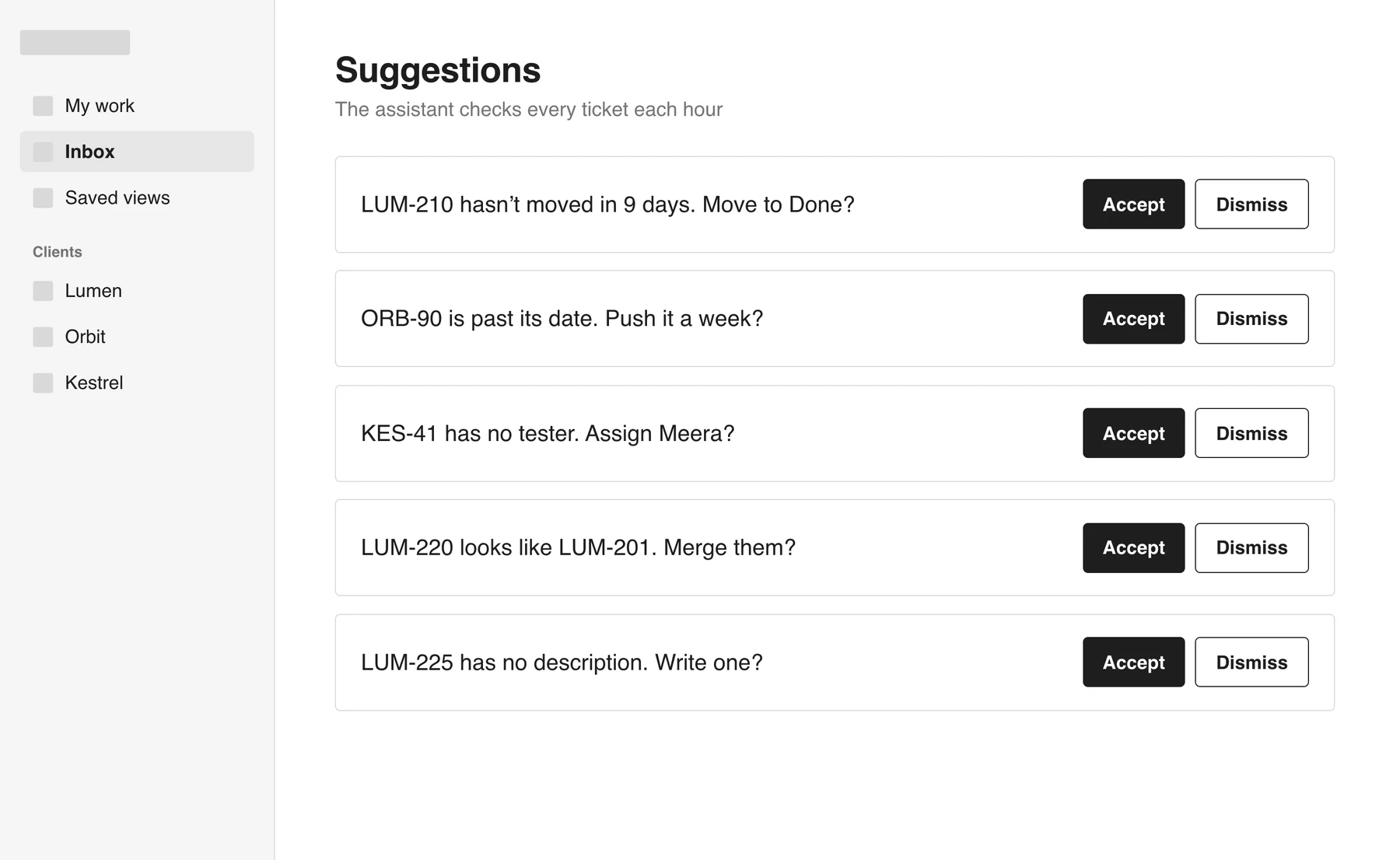
An AI that keeps tickets tidyConstant suggestions feel like noise. AI helps once, at kickoff.
Feedback should land on the ticket, wherever and whenever the client gives it

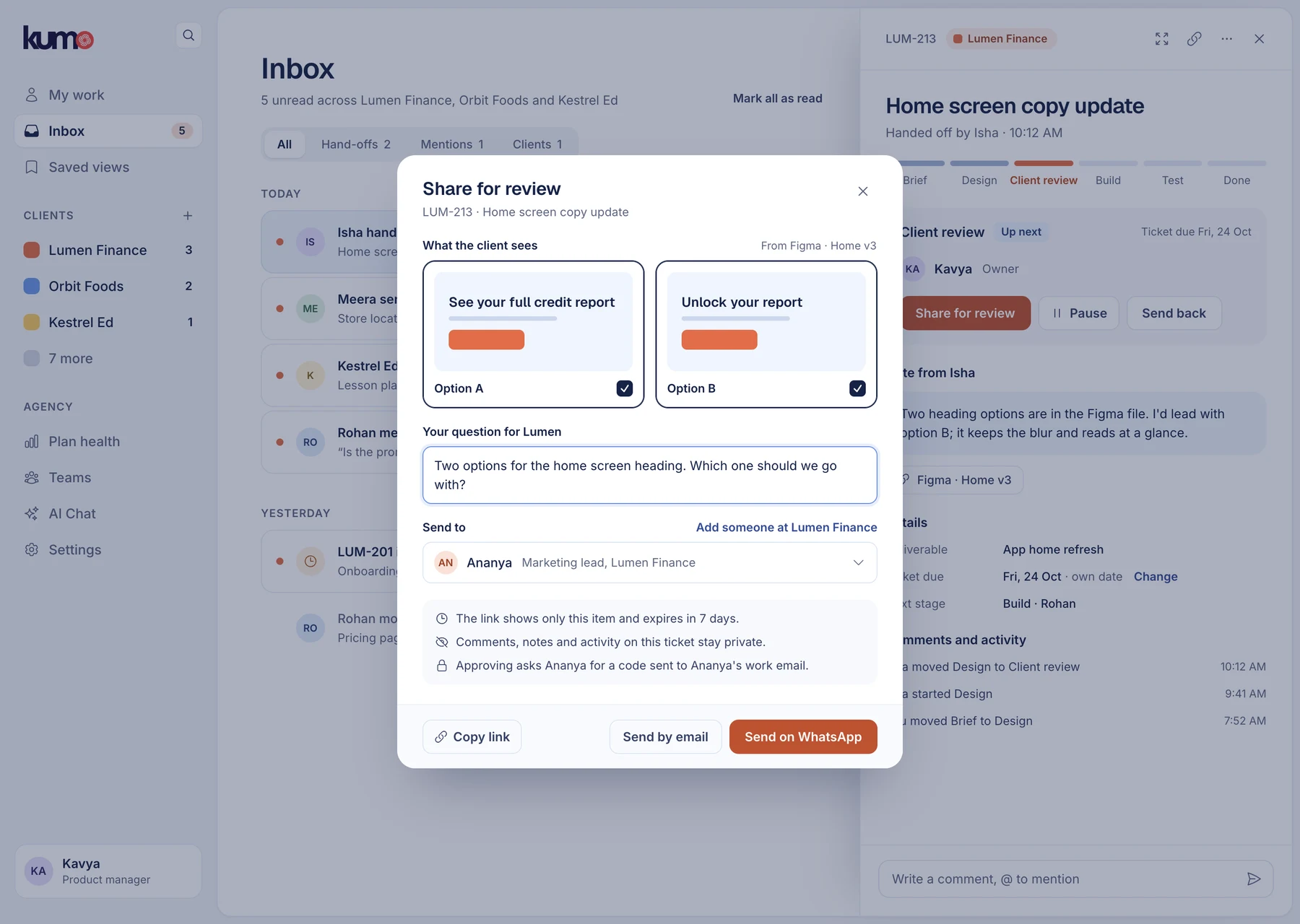
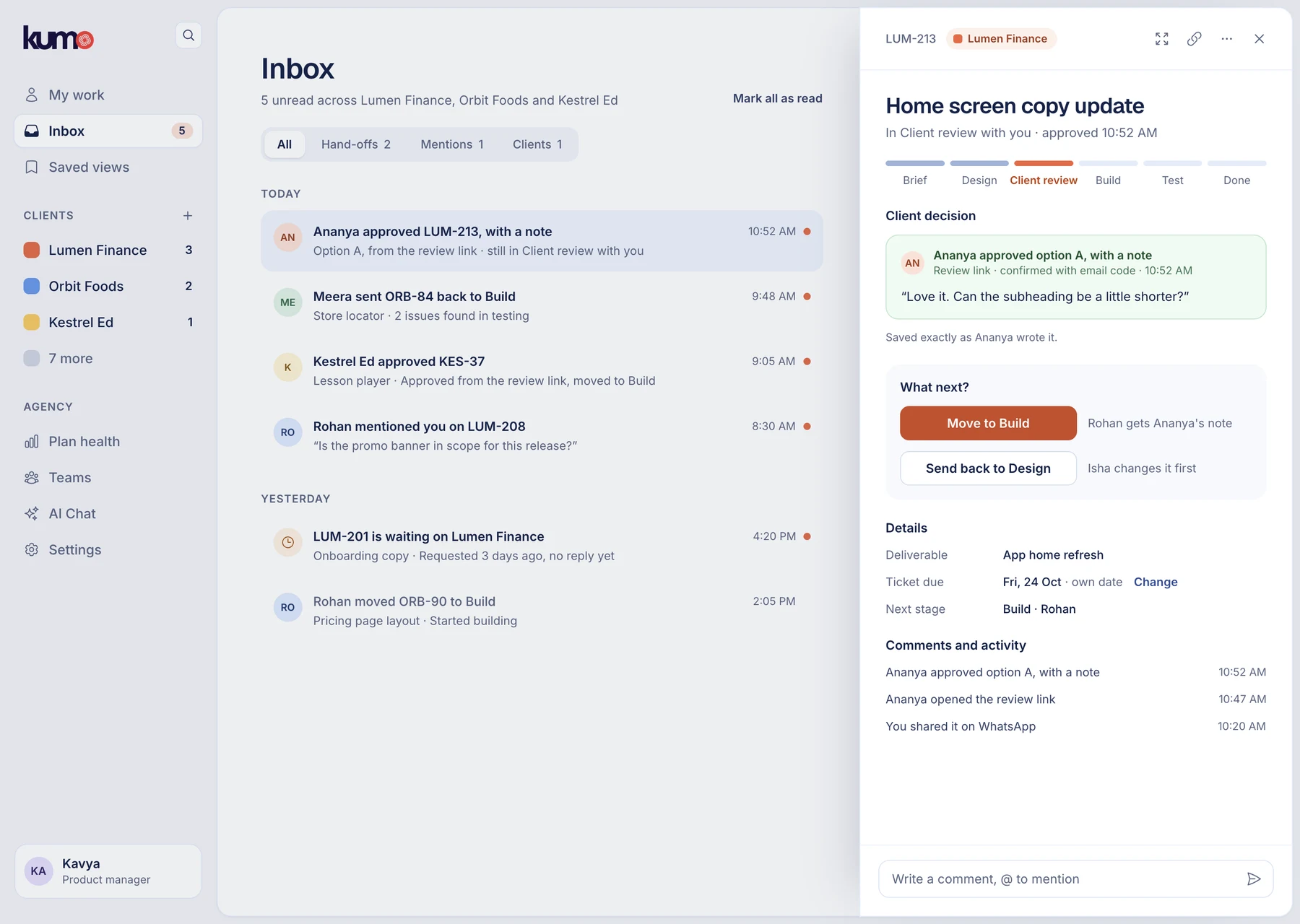
Ask for a decision with one link
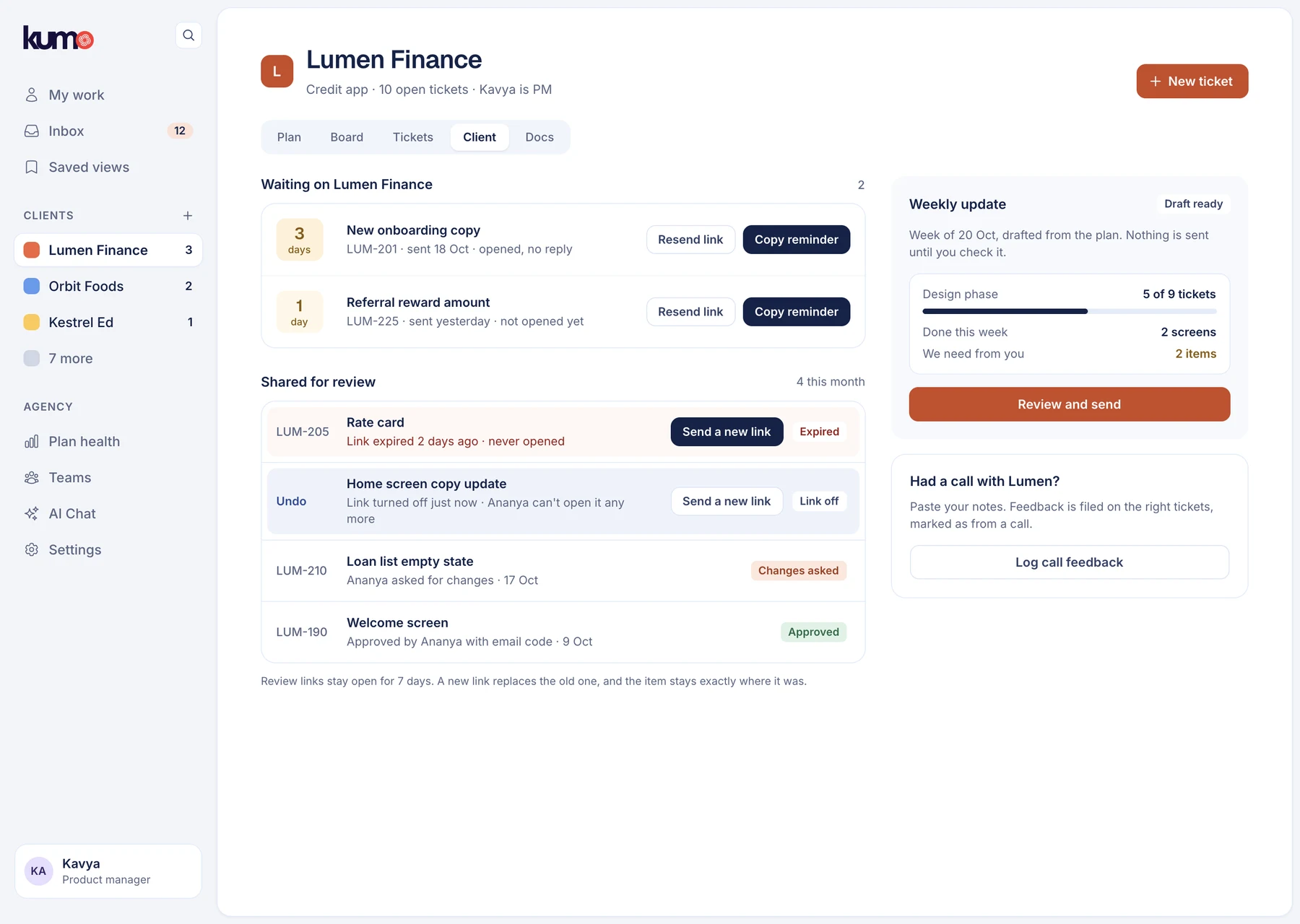
The PM picks what to show and asks one question. The client opens the link on their phone, in their own time zone, and approves with an email code. Their words land on the ticket and the track moves on.
Turn a call into ticket updates in one go
After a feedback call, the PM pastes their notes. The AI suggests which ticket each point belongs to, and the PM checks every one before saving. Anything it files wrongly can be pointed at another ticket, or left off, before it reaches anyone. That's the Associate PM's evening of copying, in one pass.

Ruled out · drafted with AI from my notes
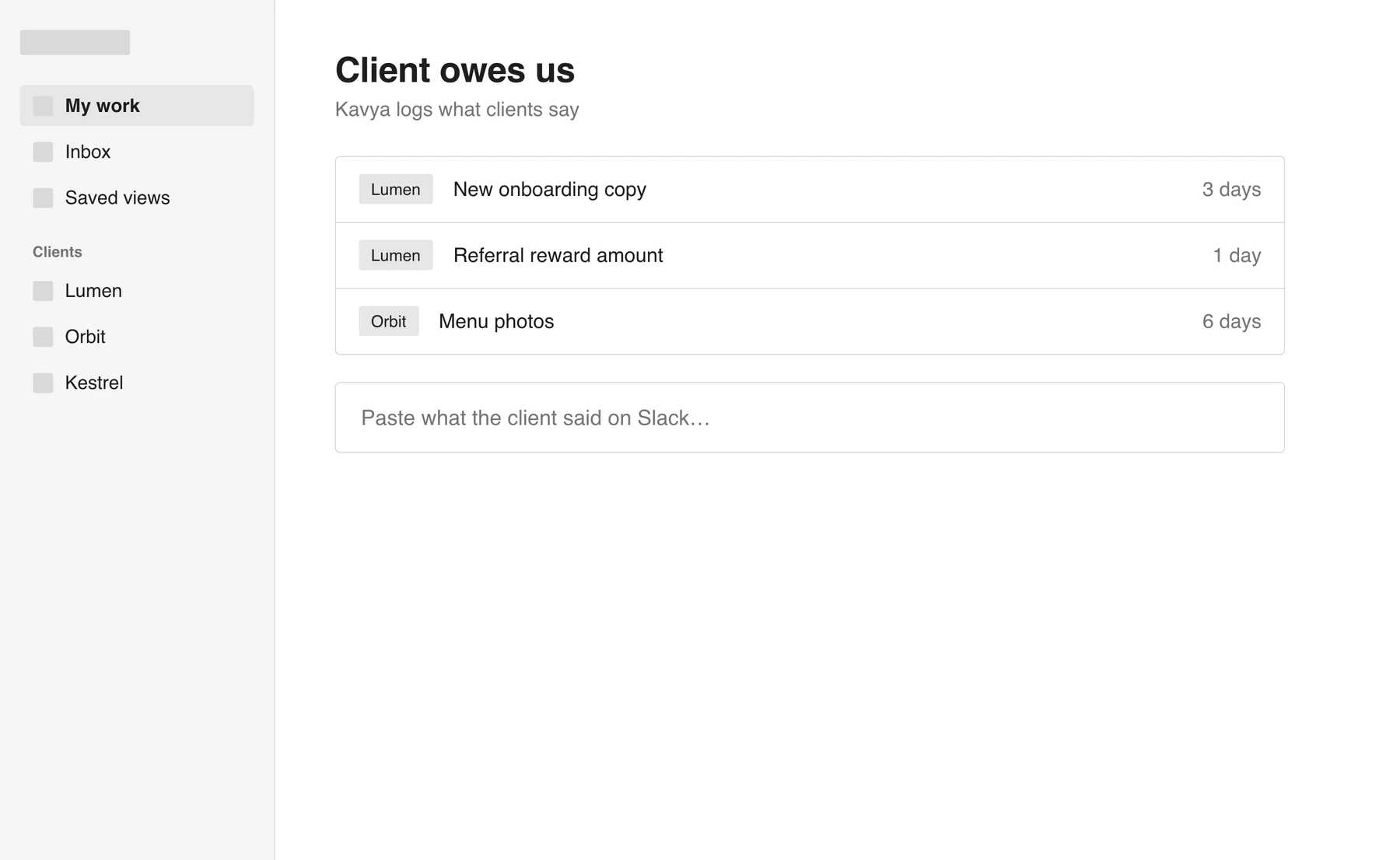
Tools for the PM onlyThe client stayed outside and the PM logged what they said. On its own, the PM was still the switchboard.
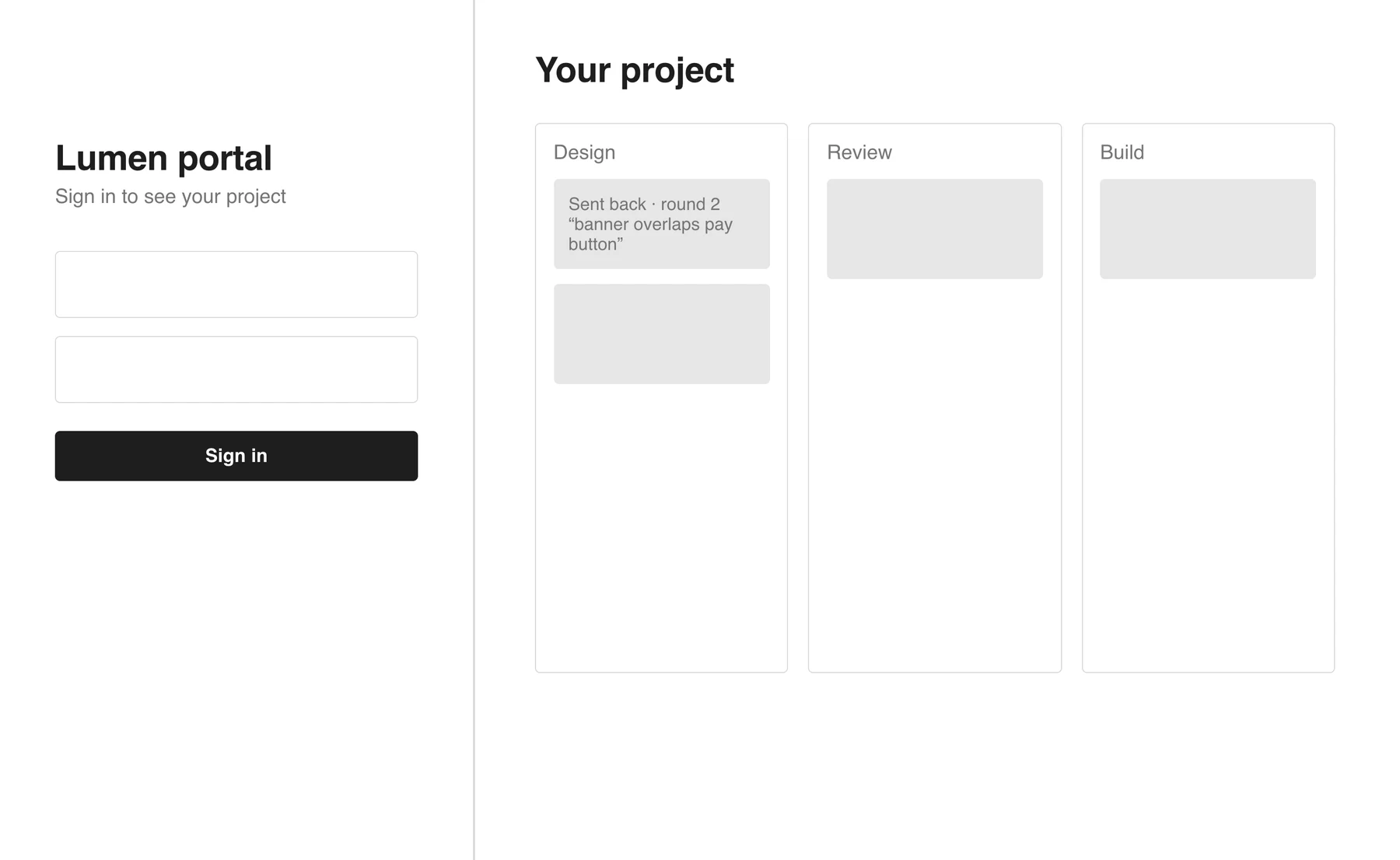
A client portalThe biggest build, and one more login for clients to ignore. See the hard call below.
The hard call
Review links, not a client portal
A portal, where clients log in and see the whole board, was the obvious answer to both client problems. It was also the biggest build.
- Decision
- Give clients a link per review and a weekly update link, with no account.
- Why
- Clients already juggle three channels with us: WhatsApp when they want a quick answer, Slack day to day, email for anything formal. A fourth place, and one they'd have to learn, was never going to win against the three they already have open. A full board would also show them internal work they don't need.
- What it changed
- The client side became two small pages instead of a second product. The portal stays an option for later, if clients ask for more.
Working with our PM
The last review changed four things, and none of them were the direction
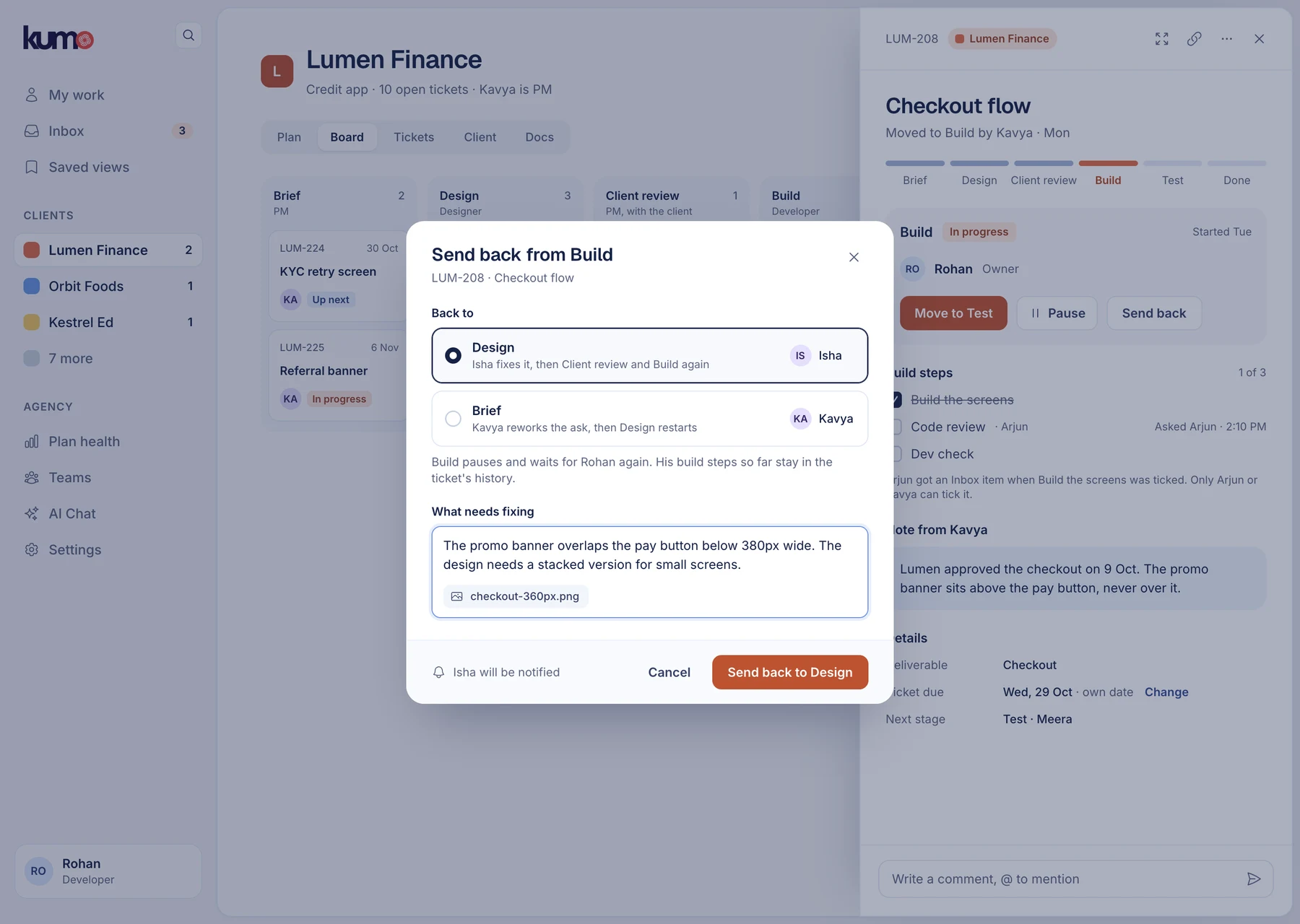
I walked our PM through all 116 screens. Our PM was in this from the first set of directions: we picked the approach for each problem together, and I brought work back to them at every stage. The last pass came back as “approved with minor refinements”, so the structure, the six stages and the review links stayed. These are the four things that pass changed.
| What they flagged | Before | After |
|---|---|---|
| Sending work back | Only Client review and Test could send work back | Every working stage can, including Build. The sheet names the next owner, asks why, and says what happens to the stage it leaves. |
| What clients can see | The share sheet didn't say what stays private | It says comments, notes and activity stay private, and the PM can turn a link off at any time. |
| Why a plan is late | Health labels with no reason | Every label says whose side the delay is on. Waiting on the client is never shown as Late. |
| Missing states | Happy path for comments, links and AI drafts | Screens for a comment that didn't post, a link that didn't send and a weekly update the AI couldn't draft. |
Next: a two-week pilot with one client's crew, watching how many hand-offs happen without a Discord message, and how many review links get answered.
How we'll know
What we'll measure once it ships
| Measure | Today | Target |
|---|---|---|
| Handing work on | ~5 steps, then a Discord message | 1 move and a note |
| Finding my work | A dashboard you had to filter yourself | My work, already filtered, as the page you land on |
| Who moves tickets | The PM, 6 of 7 changes | The person doing the work |
| Client progress | Told on calls and in Slack | A plan and a weekly update link |
| Client feedback | Gathered by hand from Slack and calls | Lands on the ticket |
| Who uses the tool | The PM, plus ticket links posted in Discord | Everyone at their own stage, with Discord carrying updates, not instructions |
Today's numbers are counted from my own account and the tickets I work on. "~" marks an estimate.
What I learned
Three things I'll carry into the next project
When people work around a tool, follow the workaround
The Discord links and Slack threads already described the tool people wanted. I audited the screens first; the workarounds would have got me there faster.
Look at what people use, not what the tool offers
The sprint features sat unused, while the team had added its own Designer, Developer and QA fields to every ticket.
The right fix isn't always the biggest one
Review links beat a client portal because they fit how clients already behave.
See all work
You made it to the end. Thanks for reading :)